Brickell Downtown Integrated Security Platform Guide
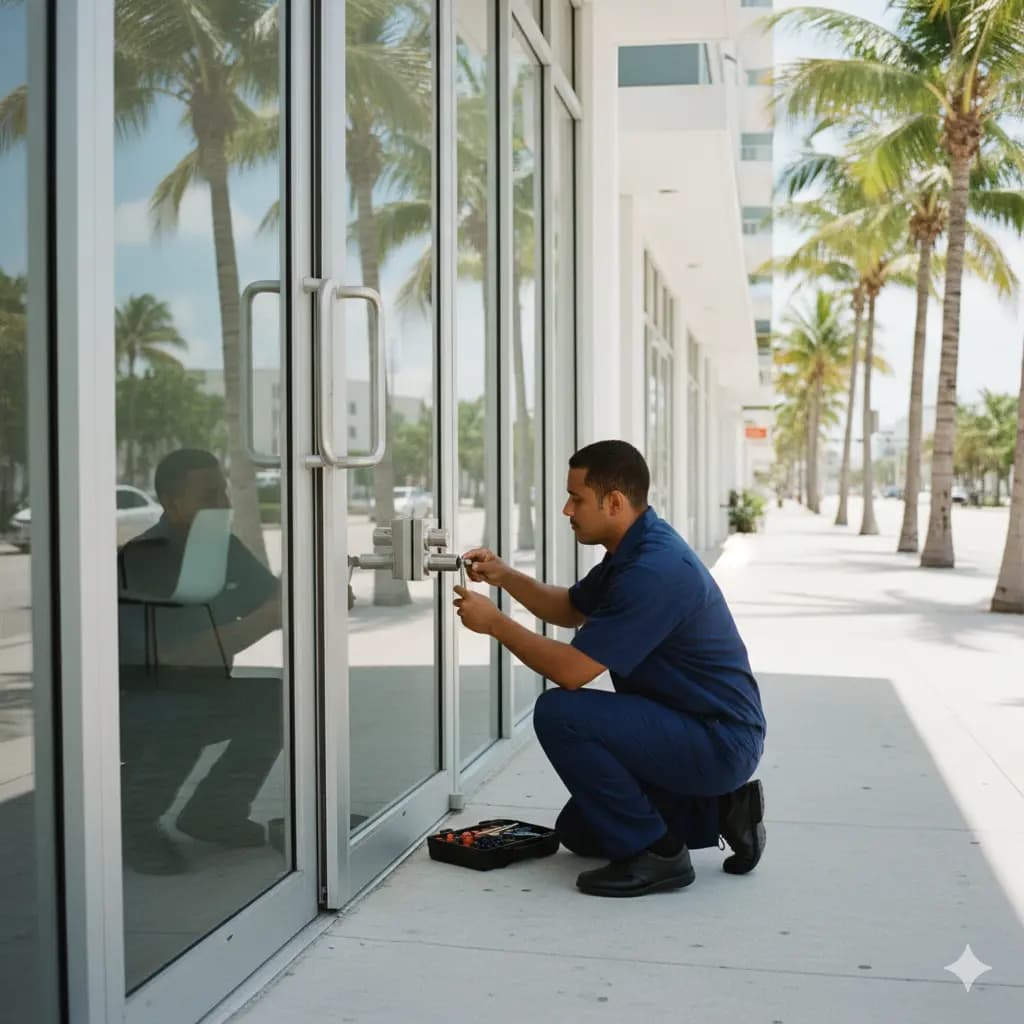
Brickell Downtown Integrated Security Platform Guide
Brickell's landmark towers—Brickell City Centre, Vizcaya, Millecento, and others—aren't just large residential buildings. They're vertical cities with complex security requirements:
- 500+ residential units requiring individual access control
- 250,000+ sq ft of commercial space with separate access needs
- Multiple managed amenities (gyms, pools, restaurants, spa facilities)
- Parking garages with 1,000+ vehicles
- 20+ retail/service tenants with independent needs
- Complex emergency protocols for evacuations and incidents
This guide covers implementing enterprise-class integrated security platforms that handle these scales while maintaining resident experience and operational simplicity.
The Integrated Security Stack
Modern Brickell buildings don't use separate "access control system," "video system," and "alarm system." They integrate into a unified platform where all systems communicate.
Component 1: Cloud-Based Access Control
Core Functionality:
- Mobile credentials (Apple Wallet, Google Wallet) for resident doors
- Role-based access control (RBAC) for staff and contractors
- Time-based restrictions (access only 9am-5pm, Monday-Friday)
- Area-based restrictions (can access floor 12, not floor 8)
- Emergency override capabilities
Resident Access: ``` Resident Unit Door:
- Primary: Mobile credential via smartphone
- Backup: PIN code (if phone dies)
- Emergency: Mechanical keyway (battery/system failure)
- Cross-building: Single credential works multiple towers
Result: Residents never carry physical keys, can grant temporary access instantly ```
Staff Access: ``` Building Operations:
- Property Manager: Full access all areas
- Assistant Manager: Common areas + mechanical (not resident units)
- Residential Supervisors: Their floor section only
- Maintenance: Specific mechanical rooms only
- Security: Lobby + common areas + incident response
Service Contractors:
- HVAC Technician: Mechanical room 12-2pm only, March 15-16 only
- Elevator Inspector: All elevator access 7am-10am during scheduled service
- Plumber: Maintenance room + emergency access if called + specified units
Result: Granular control without multiple physical key management ```
Tenant/Retail Hours: ``` Retail Tenant Entry:
- Ground floor entry: 24/7 for tenants
- Loading dock: 6am-10pm only
- Emergency access: After-hours via manager
- Temporary: Delivery contractor access 9am-2pm only
Event Catering Company:
- Kitchen access: Event dates/times only
- Loading dock: 4 hours before event start
- Exit: 1 hour after event end
- Revokes automatically at end time
Result: Hospitality/service tenants don't need permanent keys ```
Component 2: Unified Video Surveillance
Large Brickell buildings need strategic camera coverage that generates actionable intelligence without excessive storage/cost.
Strategic Coverage Areas: ``` Critical Zones (High-resolution, 24/7, searchable):
- Main lobby entrance (AI detection of unknown people)
- Elevator bank lobbies (see people entering elevators)
- Parking garage exits (license plate recognition)
- Loading dock/service area (theft prevention)
- Mechanical rooms (asset protection)
Standard Coverage (Resolution 2-4MP, searchable):
- Secondary lobbies and entrances
- Hallway intersections (thefts tracking floor-by-floor)
- Stairwell landings (emergency evacuation routes)
- Common area boundaries (pool deck, fitness area)
Limited Coverage (Standard resolution, time-of-incident only):
- Interior hallways (resident privacy concern)
- Elevator cars (privacy + legal concerns)
- Stairwell interiors (privacy)
Resident-Controlled Cameras:
- Front door peephole cameras (resident only, not building-owned)
- Private patio cameras (resident only, not building-owned)
Cloud Storage & Access:
- 60-day rolling retention (optimized for incident investigation)
- Searchable by date/time and triggered events
- Accessible by authorized staff via dashboard
- Automatic export capability for police/insurance
- Mobile app review for property manager
Integration with Access Control:
- Show video + access log for every building access point
- "See who accessed mechanical room at 2:47am" + video proof
- Cross-reference incidents across multiple cameras/systems
- Create case files with integrated timeline
Component 3: Integrated Intrusion Detection
Intrusion detection at large Brickell buildings focuses on after-hours threats and break-ins, not every door.
Perimeter Protection:
- Ground floor retail entry points
- Service/loading dock doors
- Mechanical room entry points
- Roof access doors
- Secondary stairwell exits
System Components:
- Door sensors (entry points)
- Glass break sensors (vulnerable windows)
- Motion detection (after-hours in restricted areas)
- Pressure sensors (on mechanical equipment)
Alert Logic: ``` Scenario: Door opens after midnight without authorization → Trigger alert to building security → Sound local alarm (scare off intruder) → Video camera activates (begins recording) → SMS/app alert to property manager → If armed, call emergency response
Scenario: Motion detected in electrical room at 3am → Check if access was authorized → If no, trigger alert + alarm + recording → Same escalation as door breach
Result: Proactive intrusion detection, not reactive ```
Operational Modes:
- Away Mode (after 10pm): Full surveillance + alerts
- Night Mode (midnight-6am): Critical areas only
- Party Mode (resident event): Specific areas disabled temporarily
- Emergency Mode (power outage/alarm): Backup power to critical sensors
Component 4: Unified Dashboard & Management
All three systems (access, video, intrusion) feed into single property management platform.
Property Manager Dashboard: ``` Real-time Status:
- Who is in the building right now
- What doors/cameras are functioning
- Any active alarms or alerts
- Vehicle count in parking garage
- Occupancy of gym/pool (capacity limits)
Incident Investigation:
- Search "who accessed mechanical room last night?"
- Returns: Access logs + video footage
- Export entire footage/logs as case file
- Share with police, insurance, residents
Building Analytics:
- Badge-in counts by time/floor (see occupancy patterns)
- Frequent access patterns (identify unusual behavior)
- System health (sensor battery, network issues)
- Compliance reporting (audit trail for inspections)
Staff Management:
- Create/revoke access for new hires
- Time-limit contractor access (auto-revoke)
- Audit who has access to what
- Generate access reports for compliance
Resident App: ``` Resident View:
- See who has access to their unit
- Grant temporary access to guests (auto-revokes)
- View entry log (who entered when)
- Optional: peephole camera feed
- Submit maintenance requests with building context
Resident Controls:
- Change lighting/temperature (if smart home integrated)
- Check common area availability (gym schedule, pool hours)
- View building announcements
- Report incidents (graffiti, noise, security concerns)
Brickell Implementation Architectures
Medium-Format Building (250 units, 100,000 sq ft)
Core Stack: ``` Access Control:
- Resident doors: Mobile credentials
- Staff areas: Role-based system
- Service doors: Area-specific access
- Emergency: Mechanical override keyways
Video Surveillance:
- Main lobby: 8MP AI camera
- Parking: License plate recognition
- Common areas: Standard resolution
- Total: 40-50 cameras
Intrusion Detection:
- Ground floor perimeter
- Mechanical room access
- Roof/emergency exits
- Total: 20-30 sensors
Integration:
- Unified cloud platform
- 60-day video retention
- Real-time staff dashboard
- Monthly incident reports
Implementation Cost:
- Hardware: $250,000-350,000
- Installation: $50,000-80,000
- Annual SaaS/monitoring: $30,000-50,000
Large Brickell Tower (500 units, 250,000 sq ft)
Enhanced Stack: ``` Access Control:
- All residential doors: Mobile credentials
- Multi-tenancy: Separate access systems per group
- RFID badges: Secondary authentication option
- E-cylinder backups: Electronic mechanical override
Video Surveillance:
- Enterprise cameras: 8-12 MP at critical points
- AI detection: Guns, people loitering, vehicles
- Full parking garage coverage: 4K license plate recognition
- Total: 150-200 cameras
Intrusion Detection:
- Comprehensive perimeter coverage
- Mechanical room environmental sensors
- Elevator security (cab sensors)
- High-value area protection (server rooms, money areas)
- Total: 60-100 sensors
Cloud Integration:
- Full video searchable by AI (find person wearing red hat)
- Access control + video + intrusion unified timeline
- Disaster recovery (geographically distributed backups)
- Enterprise-grade SLA guarantees
Implementation Cost:
- Hardware: $500,000-800,000
- Installation: $100,000-200,000
- Annual SaaS/monitoring: $80,000-150,000
Multi-Tower Campus (1,000+ units)
Enterprise Stack: ``` Unified Credential System:
- Single credential works across all 4 towers
- Resident can move between towers, credential follows
- Cross-building service access (maintenance covers multiple towers)
Distributed Architecture:
- Local processing (security doesn't depend on cloud)
- Cloud synchronization (unified reports/analysis)
- Automatic failover (system works if internet down)
Video Integration:
- AI searches across all 300+ cameras
- Identifies same person across multiple towers
- Cross-tower incident correlation
Enterprise Controls:
- C-suite dashboard (executive briefing)
- Full compliance reporting (audit trails)
- Integration with property management system
- Advanced analytics (occupancy, patterns, predictions)
Real Brickell Scenarios
Scenario 1: Luxury Residential Tower with Retail
The Challenge:
- 400 residential units
- 40 retail tenants on ground floor
- Separate loading dock for retail deliveries
- Retail hours (9am-8pm) vs. building 24/7
- Employee parking separated from resident
The Solution: ``` Access Control Strategy: Residents: Mobile credentials all hours Retail Staff: Badge system, ground floor only Retail PM: Extended access to retail space + loading dock Building Staff: Full access including mechanical
Retail Delivery:
- Contractor calls ahead via app
- Building security accepts delivery, opens loading dock
- Contractor gets 30-minute timed access to dock only
- No access to residential or office spaces
- Video records all deliveries automatically
Post-Incident Capability: "Retail tenant reports theft" → Check access logs (who was in that space) → Review video (from 2 hours before to 2 hours after) → See exactly who accessed area and when → Share with police → Block suspect's credential if needed ```
Scenario 2: Mixed-Use with Office Space
The Challenge:
- 300 residential units
- 150,000 sq ft office space (multiple tenants)
- 50,000 sq ft shared amenities (gym, spa)
- Shared parking for all users
- Fire code requires tracked occupancy
The Solution: ``` Separate Credential Systems:
- Residents: Mobile credential (home doors only)
- Office tenants: Badge system (office spaces + common parking)
- Amenity users: Membership card or app
- Contractors: Time-limited temporary credentials
Building Occupancy Tracking:
- Real-time count of how many people in building
- By zone: residential 200, office 150, amenities 50
- Fire evacuation: Know exactly how many unaccounted
- Capacity limits: Close gym if > 200 people
After-Hours Control:
- 9pm: Office access disabled (except tenants with after-hours)
- 6am: Office access re-enabled
- Amenities: Available 9am-10pm (locked after)
- Residential: Always accessible
Scenario 3: Condominium + Corporate Housing
The Challenge:
- 500 owner-occupied units (people live there 24/7)
- 100 corporate housing units (transient, high turnover)
- Rental terms from 1 week to 6 months
- Need to support frequent credential resets
- Owner privacy vs. corporate access
The Solution: ``` Resident System:
- Owner units: Permanent credential (follows owner)
- Long-term leases (3+ months): Temporary credential (auto-revokes)
- Corporate furnished (short-term): Weekly-reset credentials
Credentials Automatically:
- New resident: System auto-generates credential
- Move-out: Credential auto-revokes at checkout time
- No manual reset needed (housekeeping/cleaning doesn't touch credentials)
Building Security Benefits:
- Lost key credentialinstantly revoked vs. expensive rekeying
- High turnover doesn't compromise security
- Owners get permanent access, residents get temporary
- Full audit of who lived where when
Integration with Building Management
Modern Brickell buildings integrate security with operational systems:
Building Management Integration:
- Occupancy data feeds into HVAC (adjust climate to occupied zones)
- Parking availability integrated with resident app
- Elevator calls optimized by floor occupancy
- Emergency systems trigger from security alerts
- Maintenance scheduling based on access patterns
Phone/App Integration:
- Resident requests maintenance worker access
- System automatically creates temporary credential
- Worker arrives, enters unit, system logs entry
- At scheduled time, credential auto-revokes
- Resident app notified when maintenance complete
Emergency Integration:
- Fire alarm triggers all doors unlock
- Security team sees real-time occupancy
- Emergency responders get building layout + occupant count
- Video feeds sent to incident command post
- Automated notifications to residents
Migration Path for Existing Buildings
Not every building can upgrade all systems simultaneously.
Phase 1 (Months 1-3): Cloud Access Control Only
- Replace mechanical locks on resident doors
- Implement mobile credentials
- Keep old video/intrusion systems
- Quick win: No more lost key calls
Phase 2 (Months 4-9): Add Cloud Video Surveillance
- Strategic camera deployment (lobby, parking, critical areas)
- Retire old DVR system
- Integrate video with access logs
- Now have full incident investigation capability
Phase 3 (Months 10-15): Intrusion Detection
- Add perimeter sensors
- Implement smart alerting
- Automate emergency response
- Proactive rather than reactive security
Result: Over 15 months, 3rd-world security becomes enterprise-class
Cost of Integrated Security vs. System Gaps
Incident Case Study: Condo theft from common area
Old Approach (Separate Systems):
- "When did it happen?" (check video timestamps)
- "Who was in building then?" (check access logs)
- Logs and video don't match (recorded times different)
- Can't determine if person in building actually accessed room
- Cost of incident investigation: 8 hours property manager time
- Result: Inconclusive, loss unrecovered
Integrated Approach:
- Automatic timestamp sync (all systems same clock)
- "Show me video of everyone who accessed common area that day"
- Results show: 3 people accessed before theft, 2 people after
- Compare faces to building credential system
- Identify suspect, confirm with video, refer to police
- Cost of investigation: 90 minutes (automated)
- Result: Clear evidence, police identifies suspect
ROI: Faster investigation, better outcomes, prevention of future incidents.
Security Best Practices for Enterprise Buildings
Cloud Security:
- 256-bit encryption for all data in transit and at rest
- Multi-factor authentication for admin access
- Automatic failover if primary cloud provider fails
- Geographic data replication (Miami + another region)
- Compliance with HIPAA, SOC 2, NIST standards
Access Control:
- Automatic credential revocation when employment ends
- Mandatory password changes quarterly
- Separation of duties (one person can't revoke another's access)
- Audit logs of all administrative changes
- Backup mechanical access (keyways) for emergency only
Video Surveillance:
- Clear posted notices about surveillance (legal compliance)
- Limited access to admin (not every staff member can view cameras)
- Automatic deletion after retention period
- Encrypted backups for important incidents
- Export capability for police investigations
Incident Response:
- Written procedures for each threat type
- Staff training on response procedures
- Regular drills (quarterly active shooter drills)
- Integration with emergency responders
- Post-incident reviews and system improvements
The Future: AI-Powered Security
Next-generation integrated platforms add AI capabilities:
Behavioral Analytics:
- Learns normal building patterns
- Detects abnormal access patterns
- "Unknown person constantly entering mechanical room"
- Alerts before incident happens
Predictive Analytics:
- Identifies high-risk times/areas
- Predicts equipment failures before they happen
- Optimizes security deployment
Autonomous Response:
- System locks down automatically on serious threat
- Notifies emergency services with location
- Provides responding officers with building map + occupancy
Next Steps for Your Brickell Property
Ready to implement enterprise-class integrated security?
York Security Solutions specializes in:
- Design of enterprise-scale security systems
- Integration of access, video, and intrusion systems
- Migration planning for existing buildings stepping up to cloud
- Staff training on new systems
- Ongoing monitoring and threat response
Contact us for:
- Free security assessment of your current systems
- ROI analysis: Compare integrated vs. siloed approach
- Implementation planning and timeline
- References from Brickell buildings (similar scale)
Brickell's premium buildings deserve premium security. Integrated systems don't just respond to incidents—they prevent them.
Need Help With Your Security?
Contact York Security Solutions for professional solutions tailored to your needs.
Get in Touch